Is hosting a Minecraft server in the EloTiers Launcher really free?
Yes, 100% free. Your server runs right on your own PC and shares online through HomeRoot at no cost—with no monthly subscription, no credit card, no slot limits, and no queue timers.
Do I need to open ports on my router or set up port forwarding?
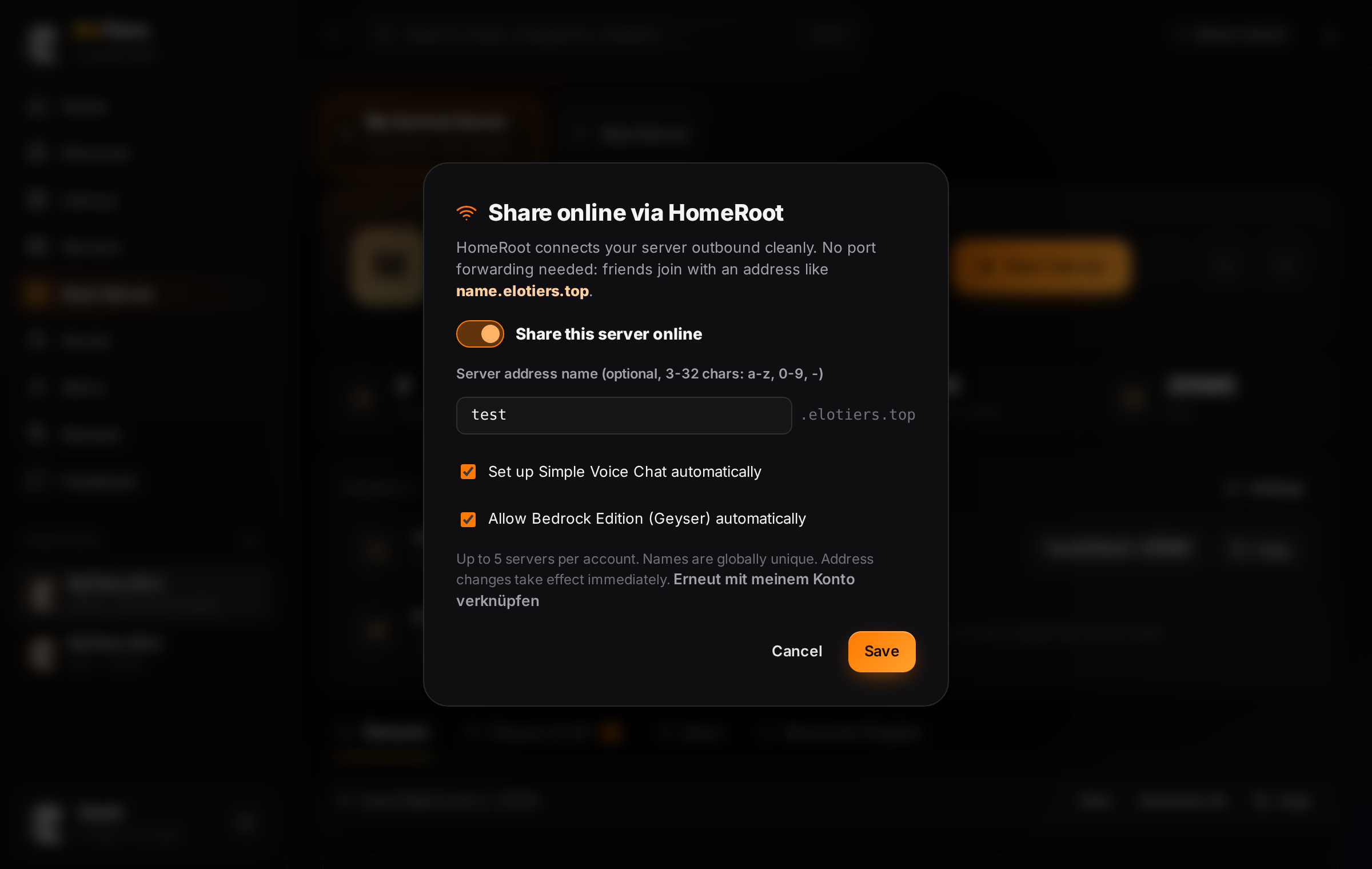
No. Traditional self-hosting forces you to log into your router, expose your home IP, and configure port 25565. Inside the EloTiers Launcher, clicking Share Online creates a safe outbound connection automatically—even behind strict home Wi-Fi or CGNAT.
What will my Minecraft server IP look like?
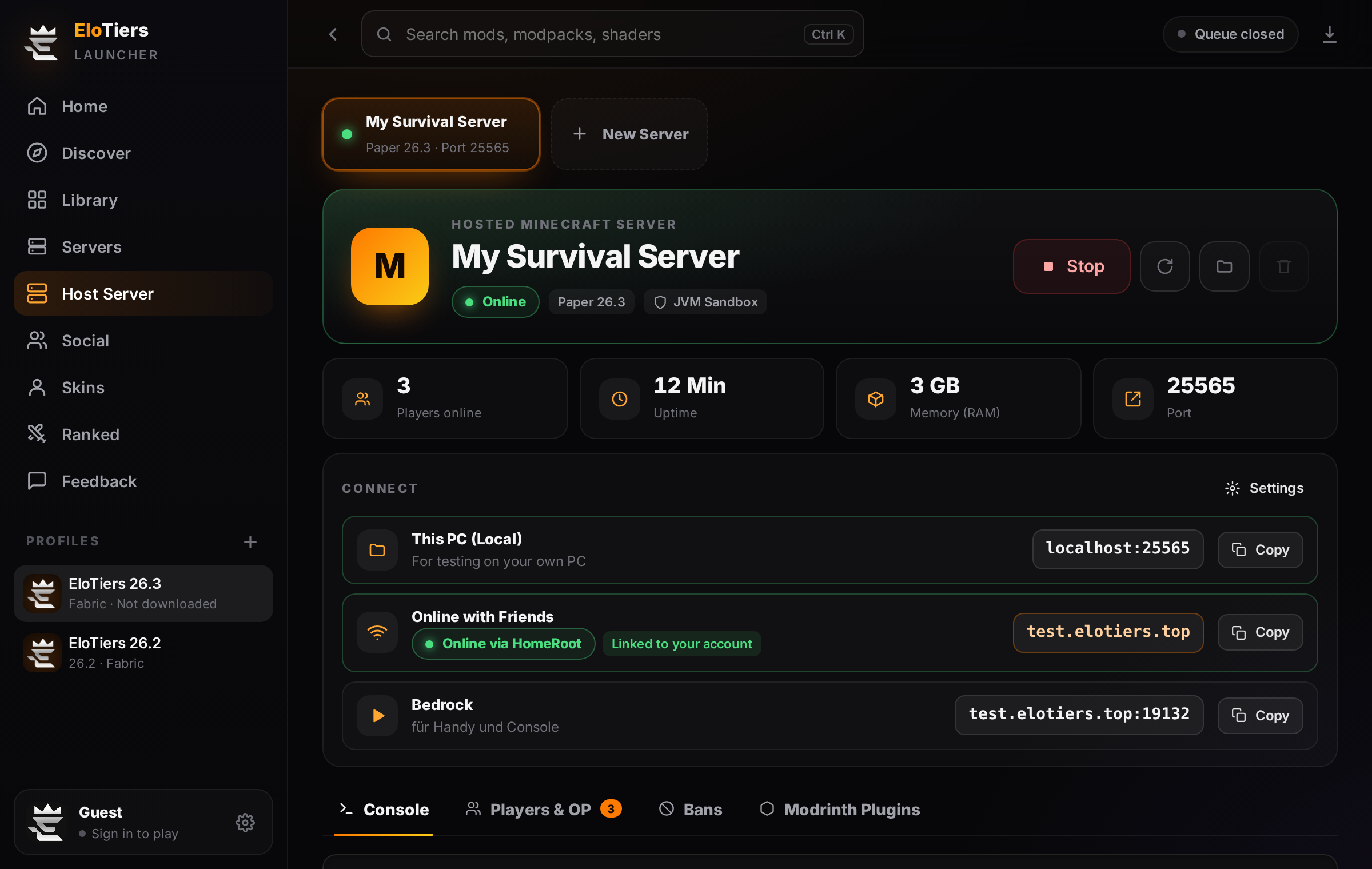
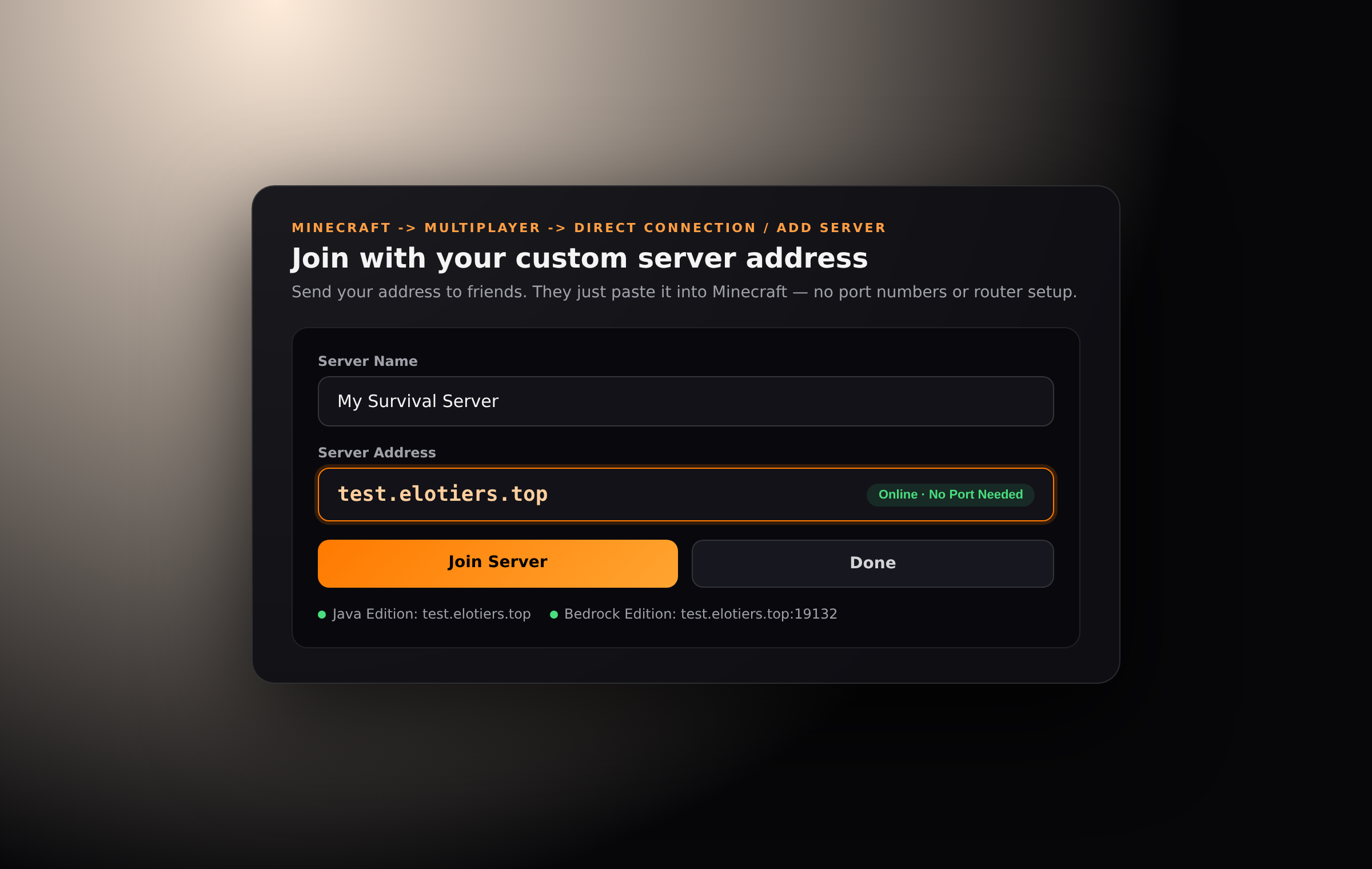
You pick a short custom name such as test, and your server gets a clean address like test.elotiers.top. Your friends just paste test.elotiers.top into Minecraft Multiplayer and join—no numbers or extra ports needed.
Can friends on Bedrock Edition (console or phone) join too?
Yes. Inside the Share Online dialog, leave the Bedrock (Geyser) toggle switched on. Players on PC, mobile, PlayStation, Xbox, or Switch can join your Java Paper server seamlessly.
Which Minecraft versions are supported for online server sharing?
Paper 26.3 and 26.2 support one-click online sharing via HomeRoot right now, including automatic Simple Voice Chat and Geyser Bedrock support. You can also run local Paper 1.21.11 servers directly inside the launcher.
Can I add plugins and customize my private SMP or PvP server?
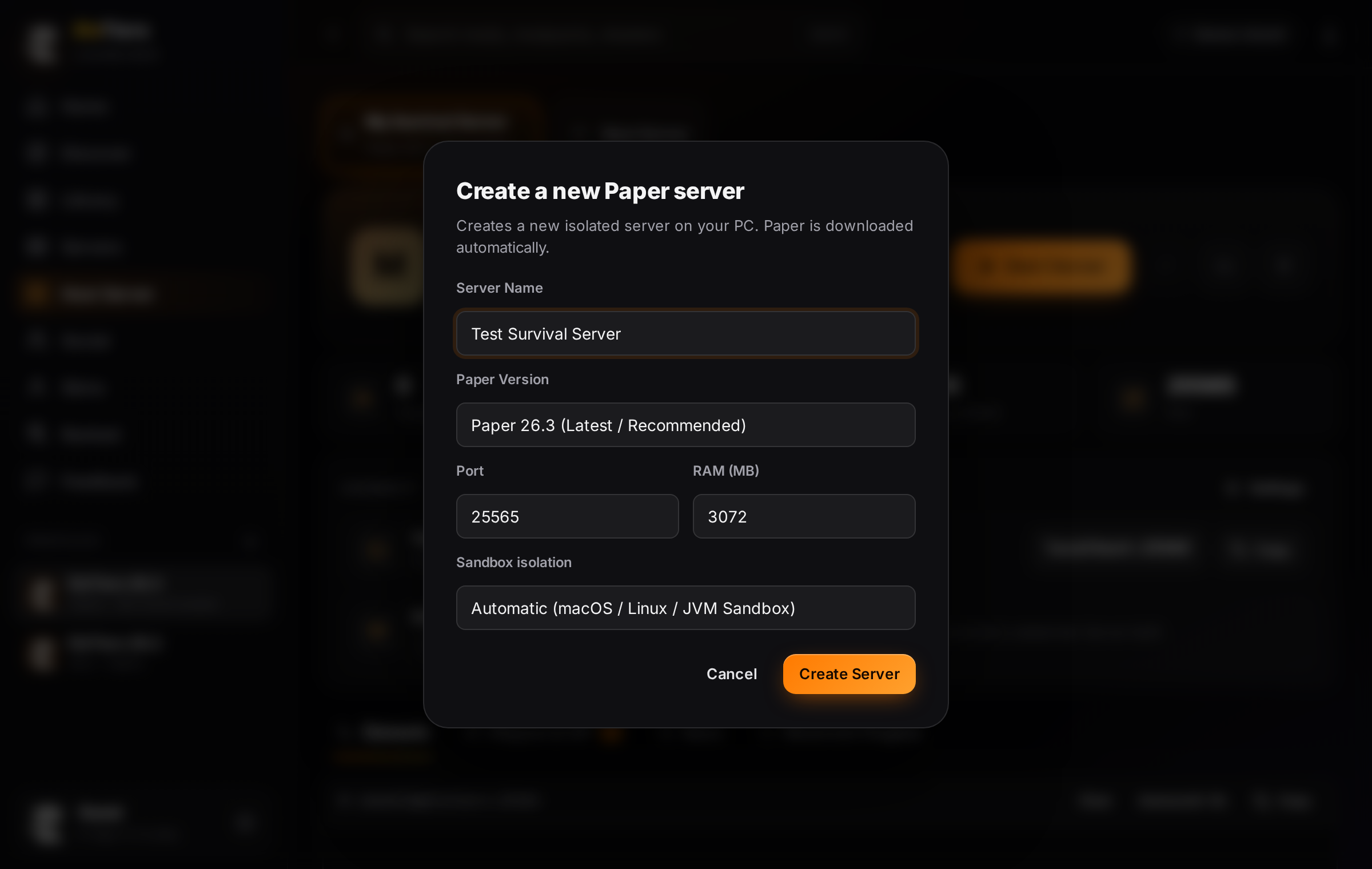
Yes. Every server runs Paper and includes a built-in Modrinth plugin installer tab right inside the launcher, alongside a live console, OP & player buttons, whitelist management, and ban controls.